Changelog
What's new in KorField Pro
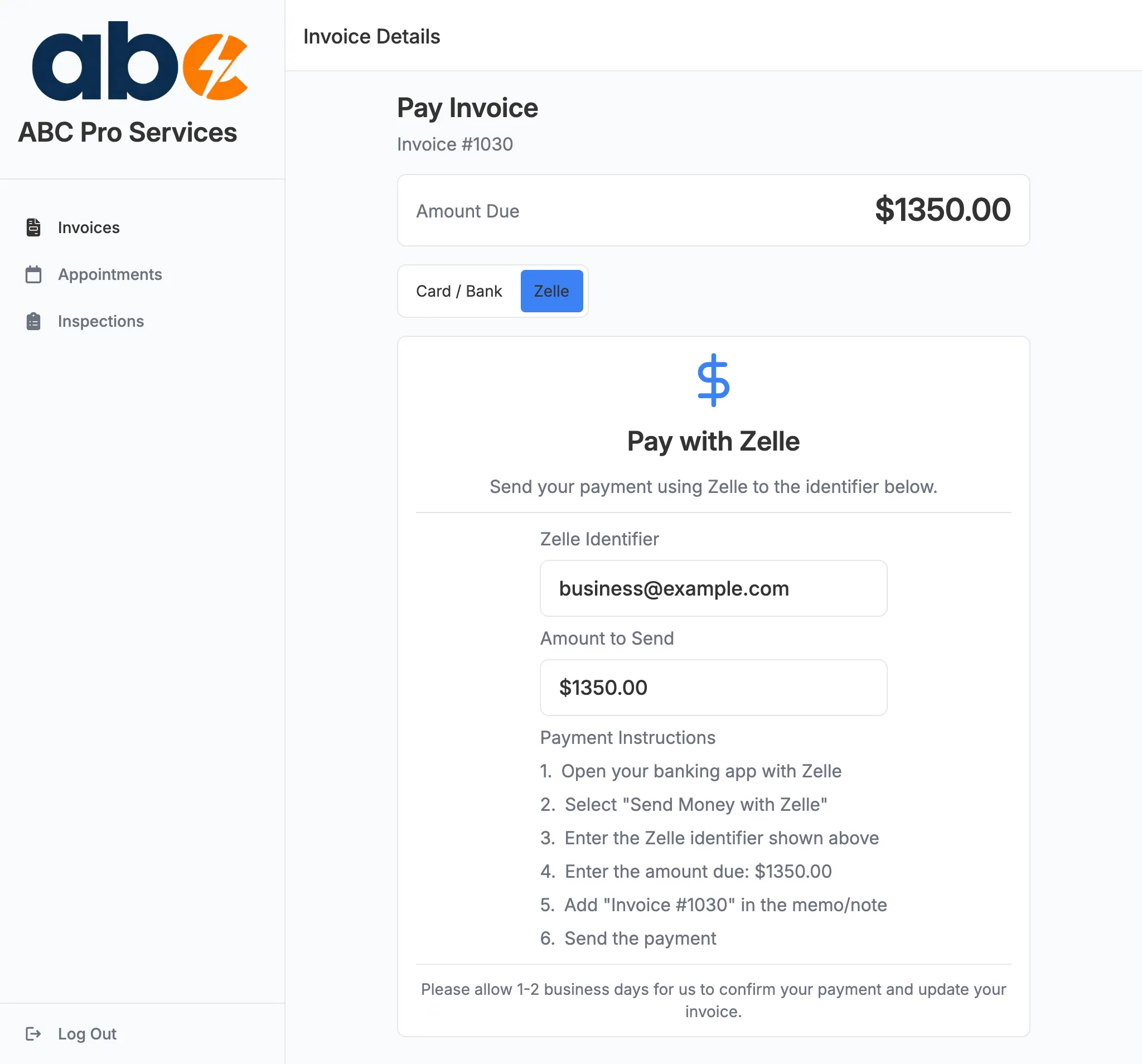
Link Notes to a Client or a Property
When you add a note on a job, you can now choose where it lives. Link it to the client, to the property, or to both — and a clear “Linked to…” label on each note tells you its scope at a glance.
A note linked to a property follows that address everywhere it shows up, so the gate code or “park in the driveway” reminder is right there on every job at that location. A note linked to a client travels with the customer across all their jobs and properties. The right context shows up on the right job, automatically — no more re-typing the same details every visit.
Approved Estimates Are Saved Automatically
When an estimate is approved — whether you mark it approved yourself or the client accepts it through the client portal — a PDF copy of the approved estimate is now saved automatically to the job’s documents.
You’ll always have a record of exactly what the client agreed to, with the approval date right in the file name, so there’s never any question about the scope or price that was signed off.
Know the Moment an Estimate Is Approved or an Invoice Is Paid
Two new notifications keep you in the loop without having to check:
- Estimate approved — the instant a client approves an estimate from their portal, you’ll be notified so you can get the work scheduled right away.
- Invoice paid — when an invoice is paid in full, you’ll know immediately, no manual checking required.
We also gave estimates their own dedicated home in the app, separate from invoices, with their own settings and a clean, branded PDF. And on the client portal, the Pay button now only appears when there’s actually a payment method available — so clients never run into a dead end.
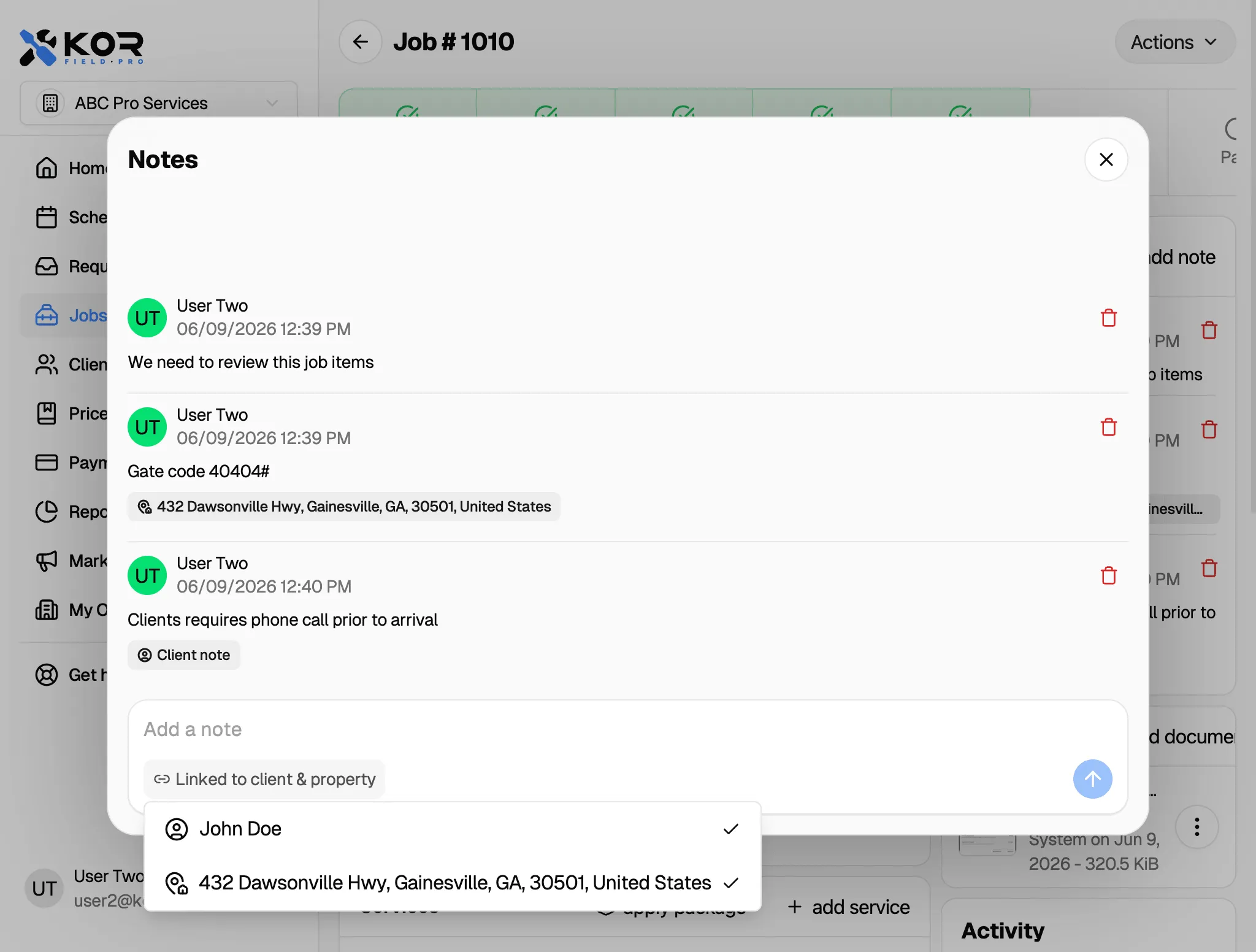
See Your Team on the Map
The schedule now has a Map view. Switch from the calendar to the map to see every job for the day plotted by location — color-coded by the technician assigned to it.
When your technicians are clocked in and out in the field, their live locations appear right on the same map, so dispatchers can tell at a glance who’s closest to the next job, who’s already on the move, and how the day is unfolding across your service area.
Find it on the Schedule page — just toggle from Calendar to Map.
Record Venmo & Zelle Payments on a Job
When you record a payment you’ve received on a job, you can now choose Venmo or Zelle alongside Card, Cash, and Check. Your payment-method report picks them up automatically, so you get an accurate breakdown of how clients are actually paying you.
The Add Payment screen now also pre-fills the outstanding balance and lets you email a receipt to the client right from the same screen.
Save Services to Your Price Book On the Fly
When you add a service to a job, you can now save it straight to your price book at the same time. Pick a category, flip the switch, and the service is ready to reuse on every future job — no need to re-type the same work over and over.
It only takes a moment, and over time it builds out a price book that matches exactly how your business quotes work.
More Independence for Technicians in the Field
Technicians can now keep jobs moving without waiting on the back office. They can send “on my way” ETAs to clients and mark jobs as completed themselves — and sending an ETA now automatically moves the job into In Progress.
We also tightened things up so everyone stays in their lane:
- A personal calendar event created by a technician is automatically assigned to them.
- Technicians can only manage the documents and photos they captured themselves, keeping each team member’s records separate.
- Managing job appointments is now its own permission, so you control exactly who can schedule and reschedule.
Google Reviews on the Reviews Page
Connect your Google Business Profile and your public Google reviews now show up on the Reviews page right alongside your in-app job ratings.
See your average rating and total review count at a glance, read each review with the reviewer’s name and date, and view any owner replies — all in one place. Job-rating request emails also now invite happy customers to leave a Google review.
Switch Between Grid and Table Views
Your lists now come in two layouts. Toggle between a Grid of cards and a compact Table view to see more at once and scan your data the way you prefer.
The new view switch is available across Clients, Jobs, Requests, Calls, Estimates, Invoices, and Services.
Consistent Send Options Everywhere
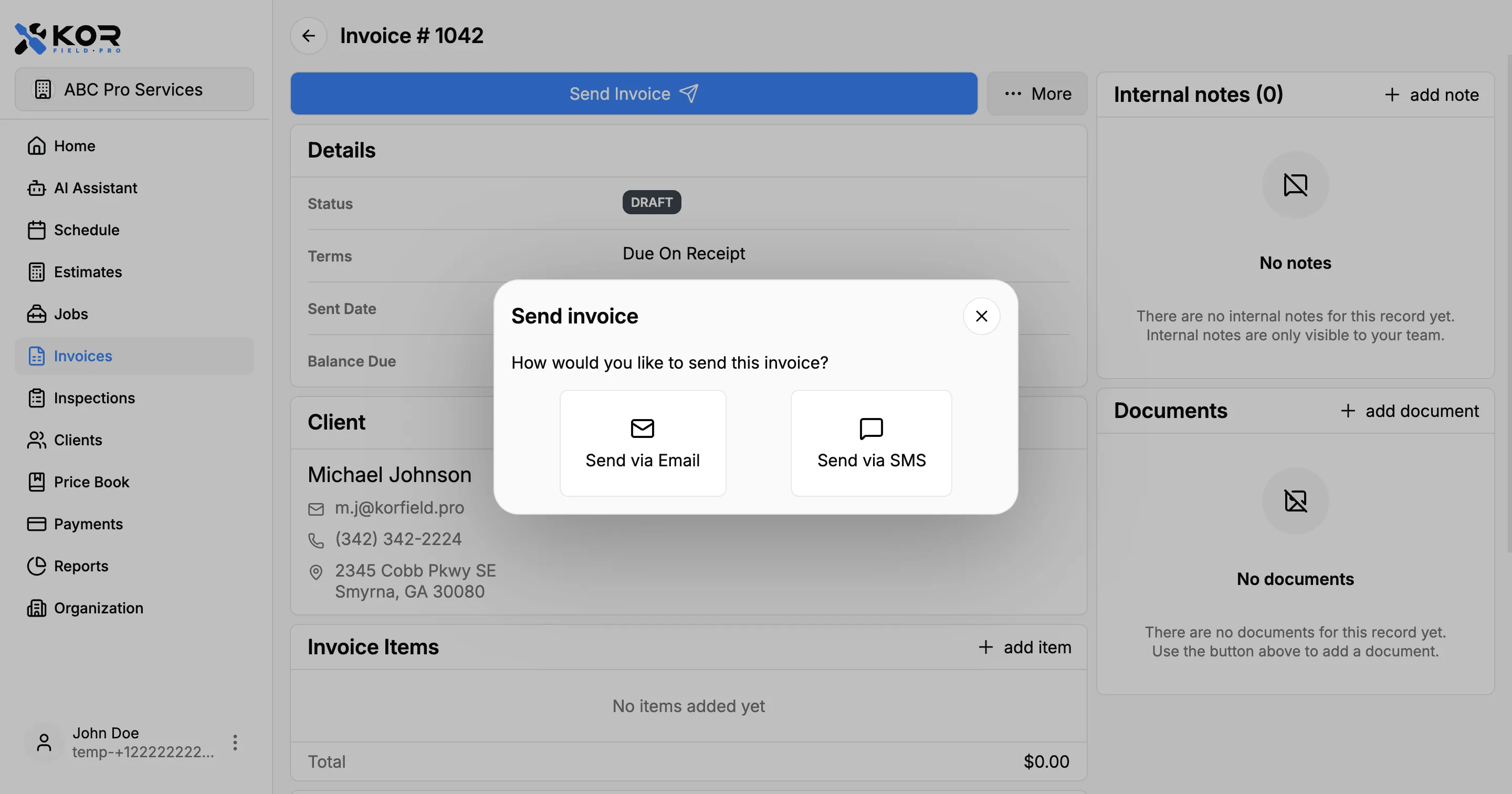
Sending an estimate, invoice, or receipt now works the same way no matter where you are. The send screens share one consistent set of channel options — email or SMS — so the experience is the same across every document type.
Convert Estimates to Jobs & Set Status Manually
Once a client accepts an estimate, you can now convert it directly into a job — carrying the work over so you can schedule it without re-entering anything.
You can also set an estimate’s status yourself. If a client gives you the go-ahead by phone or marks one as declined in person, you can update it manually instead of waiting for them to respond from the client portal.
A Better Online Booking Experience
Online booking now ends with a clear confirmation page. After a customer books, they see a summary of their request — the service, time, technician, address, and contact details — along with an Add to Calendar button so the appointment lands right in their calendar.
We also made the time picker smarter: it automatically lands on the soonest day with open slots, so customers can pick a time without hunting for an available date.
And customers can now attach photos to their request while booking — for example, a picture of the leak or the broken unit. Those photos carry through to the job, so your technician knows what to expect before they arrive.
Turn Requests Into Jobs
You can now accept a service request and turn it straight into a scheduled job. When a request has everything it needs — a service type, a time, and a technician — accepting it creates the job and books the appointment for you.
If a request is missing details and can’t be scheduled automatically, you’ll be prompted to dispatch it manually instead, so nothing slips through.
Reminders to Finish a Booking
When a customer starts a booking online or over the phone but doesn’t finish it, we now send them a friendly nudge to pick up where they left off.
If they’ve shared a phone number or email but haven’t completed their request after about 20 minutes, they’ll get a single reminder with a link straight back to their booking — helping you recover requests that would otherwise be lost.
AI Dispatch Answers Your Phone
AI Dispatch picks up when you can’t. When a customer calls, an AI dispatcher answers, collects their name, callback number, and a description of the problem, figures out the soonest open slot on your calendar, and creates a service request — all before the caller hangs up.
It’s built for after-hours coverage and busy days. Each request lands in your queue with the full call transcript attached, and the dispatcher can hand the call to a real person whenever the caller asks.
We’ve also smoothed out the booking flow this release, with clearer steps and more reliable scheduling. See the Using AI Dispatch guide to set it up.
Venmo Payment Support
You can now add Venmo as a payment method. Clients will see your Venmo username on invoices and in the client portal, making it easy to send payments directly.
Invoice & Estimate Settings
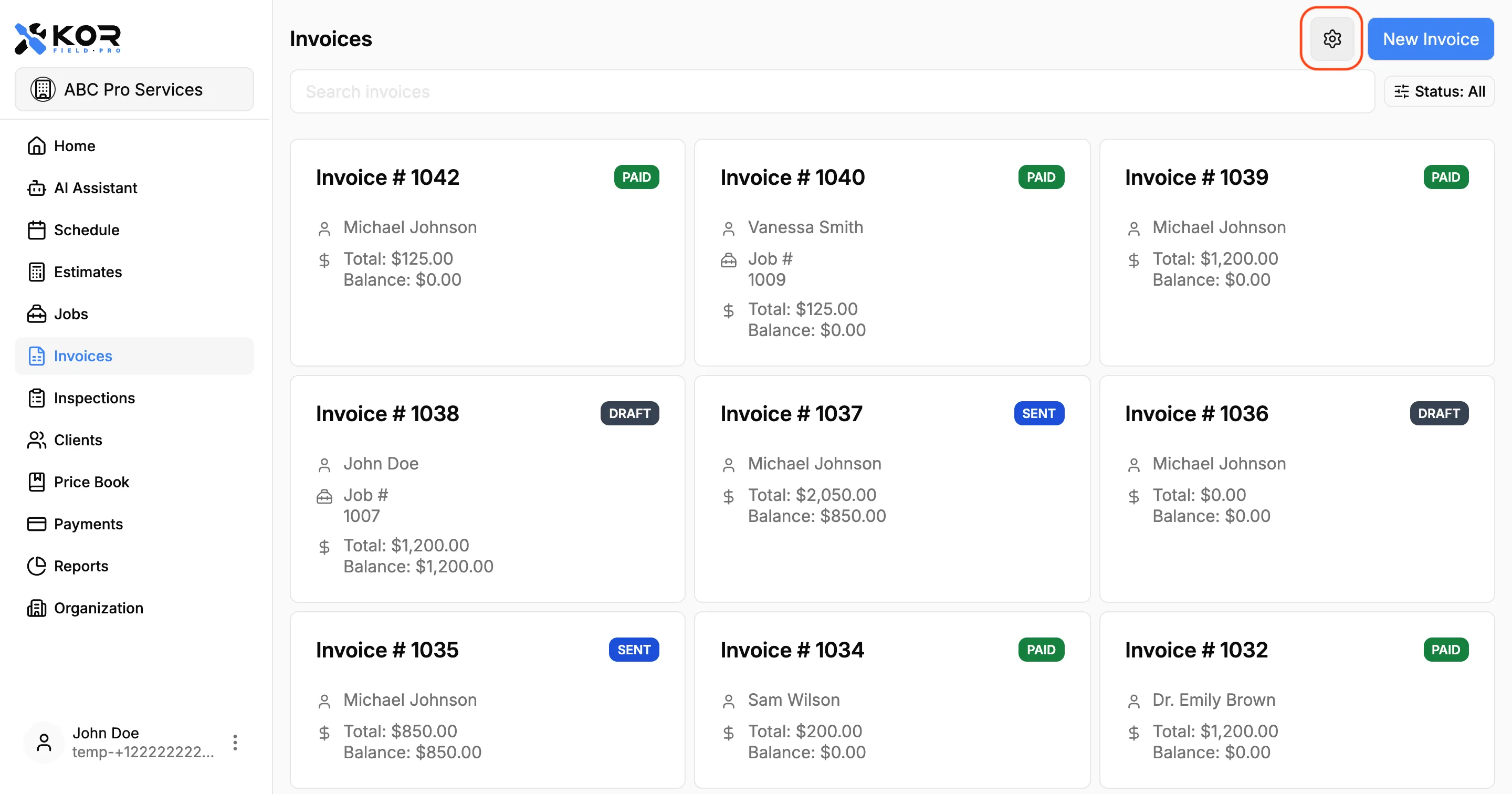
You can now customize the footer message that appears at the bottom of your invoice and estimate PDFs.
Open Settings from the Invoices or Estimates screen to set a custom message — add payment instructions, a thank-you note, terms, or any text that applies to every document. Line breaks are supported so you can format it across multiple lines.
SMS Delivery for Estimates, Invoices & Receipts
You can now send estimates, invoices, and payment receipts through SMS in addition to email.
Each message includes a secure short link to the client portal so clients can quickly review documents and payment details from their phone.
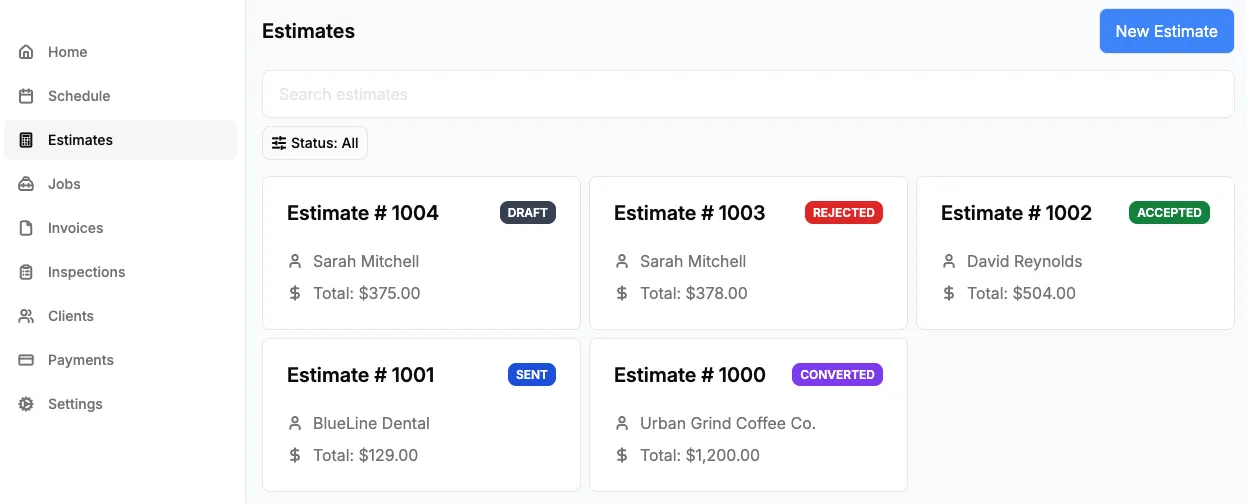
Estimates & Client Portal
You can now create price estimates for your clients before starting work. Add line items, send estimates via email as a PDF, and convert accepted estimates into invoices with one tap.
Clients can review, accept, or decline estimates directly from the client portal — no phone calls or emails back and forth needed.
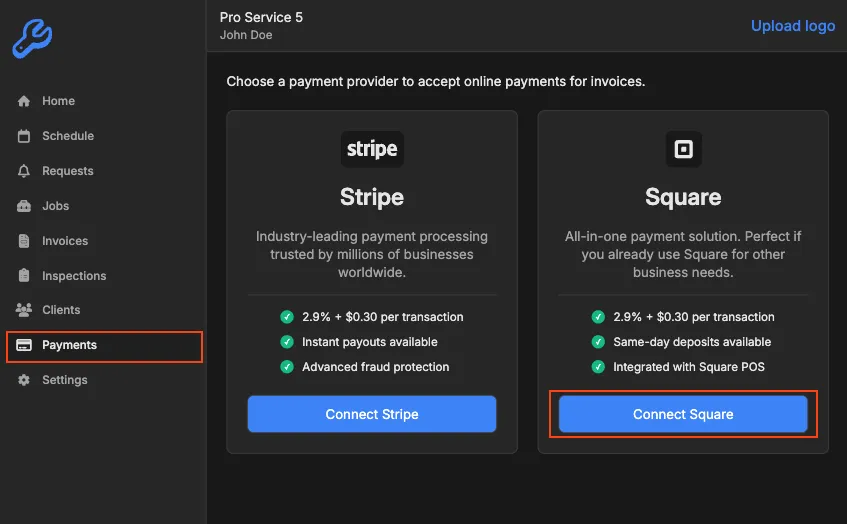
Square Payment Integration
Accept payments through Square directly from your invoices. Clients can pay online via the client portal using credit cards, debit cards, and digital wallets.
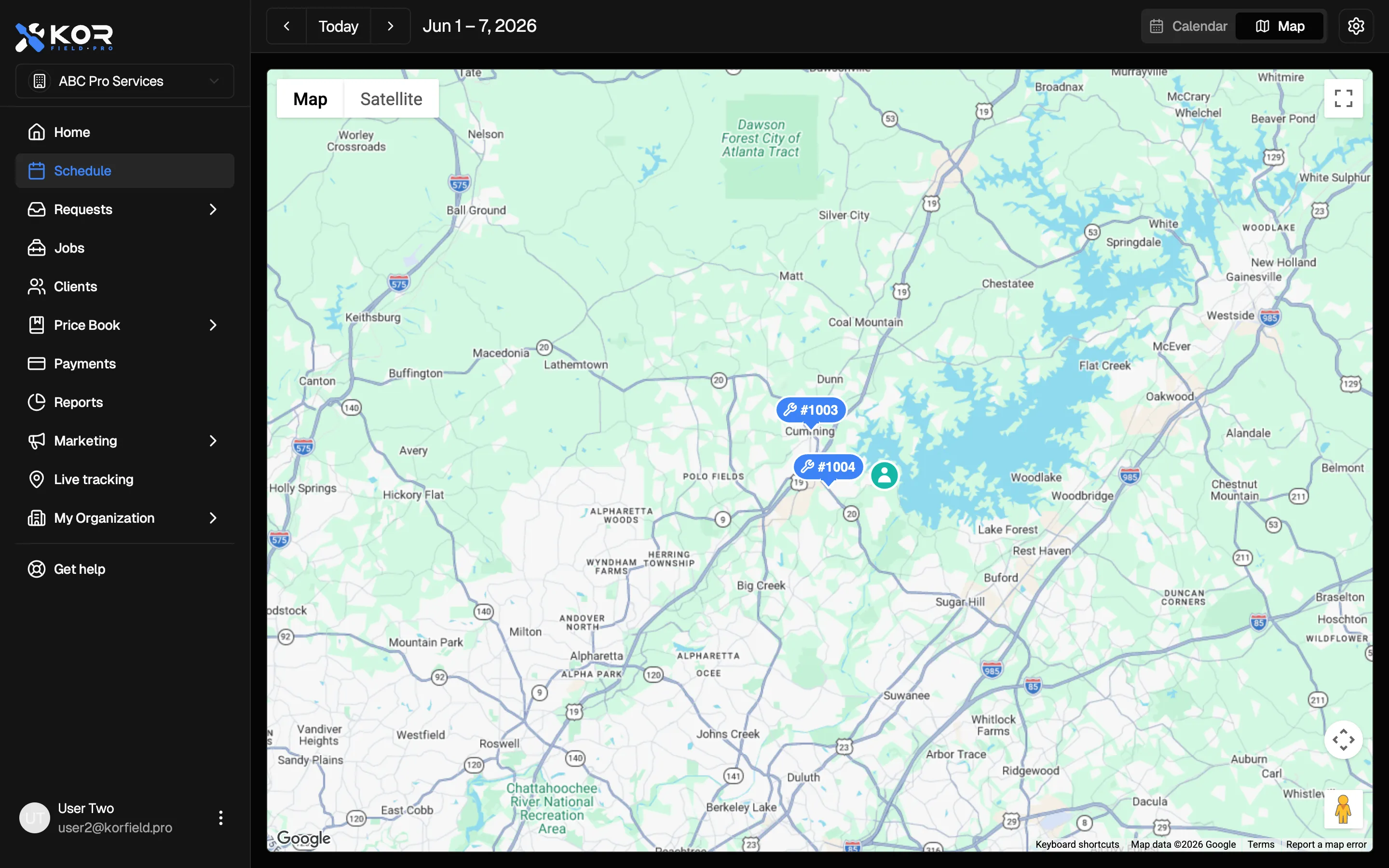
Zelle Payment Support
You can now add Zelle as a payment method. Clients will see your Zelle details on invoices and in the client portal, making it easy to send payments directly.