Sending Payment Receipts
Learn how to send payment receipts to clients by email or SMS after recording a payment
Last updated:
Sending Payment Receipts
After you record a payment, send a receipt right away so your client has confirmation for their records. KorField Pro lets you send receipts by email or SMS.
Sending a Receipt
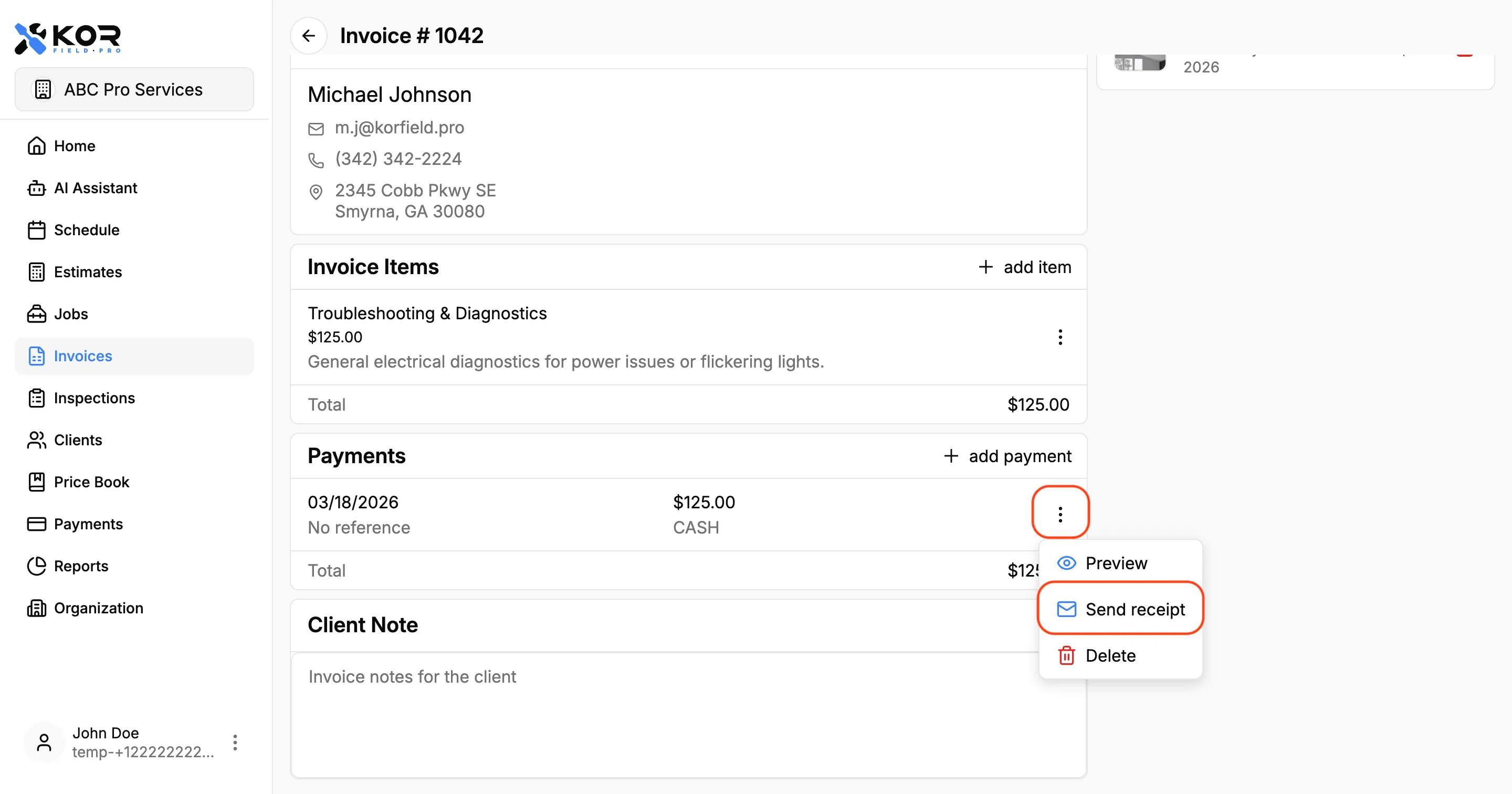
- Open the invoice.
- Go to the payment you want to confirm.
- Tap Send Receipt.
- Choose email or SMS.
- Confirm and send.
Send by Email
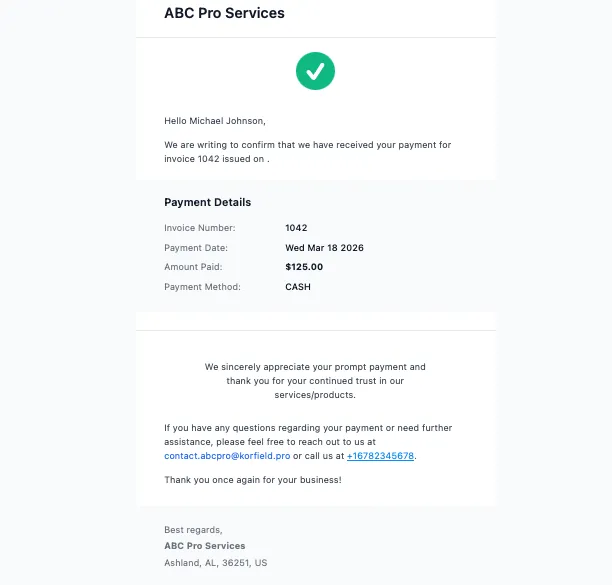
When sent by email, the client receives:
- A payment confirmation message
- Receipt details (amount, date, and payment method)
- A PDF receipt attachment for bookkeeping
Send by SMS
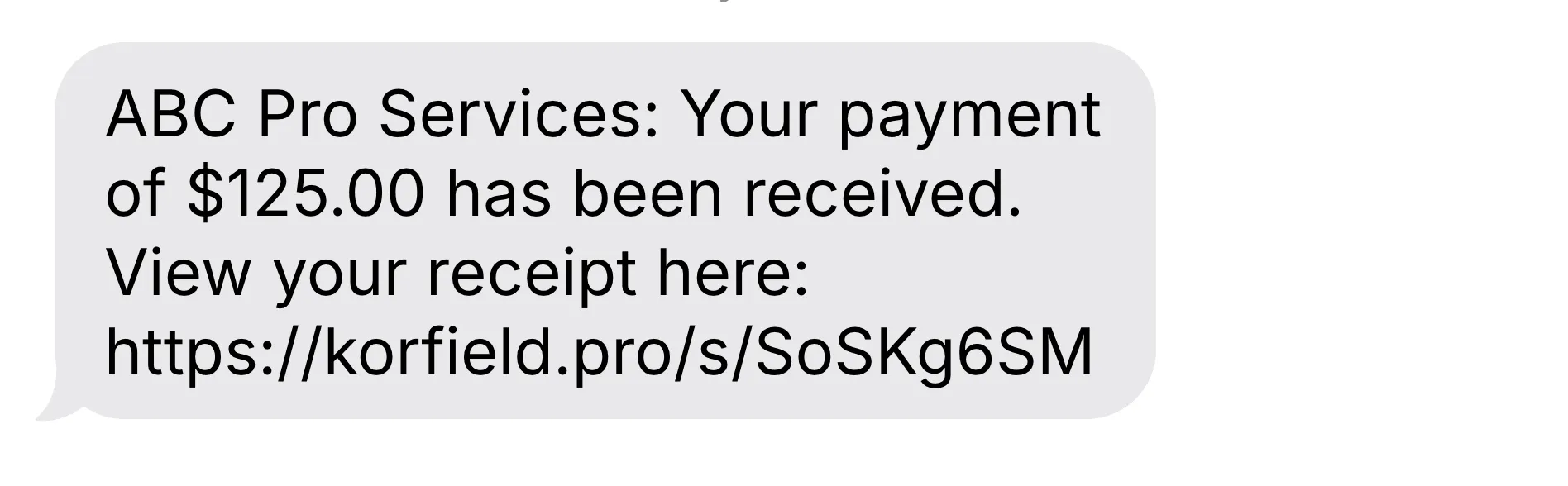
When sent by SMS, the client receives:
- A short payment confirmation message
- A secure short link to view the receipt in the client portal
SMS is useful when clients need immediate confirmation on-site.
Best Practices
- Send receipts immediately after payment collection.
- Use both email and SMS for larger payments.
- Keep client contact details up to date.
- Resend a receipt if a client reports they did not receive it.
Need More Help?
Need help with receipts or payment confirmations? Contact support at support@korfieldpro.com or visit the help center.